
4.2 KiB
4.2 KiB
Last Web Novel
A modern web novel reader application built with Nuxt 4, Vue 3, and TypeScript. Browse, read, and track your reading progress across multiple novels with a beautiful UI.
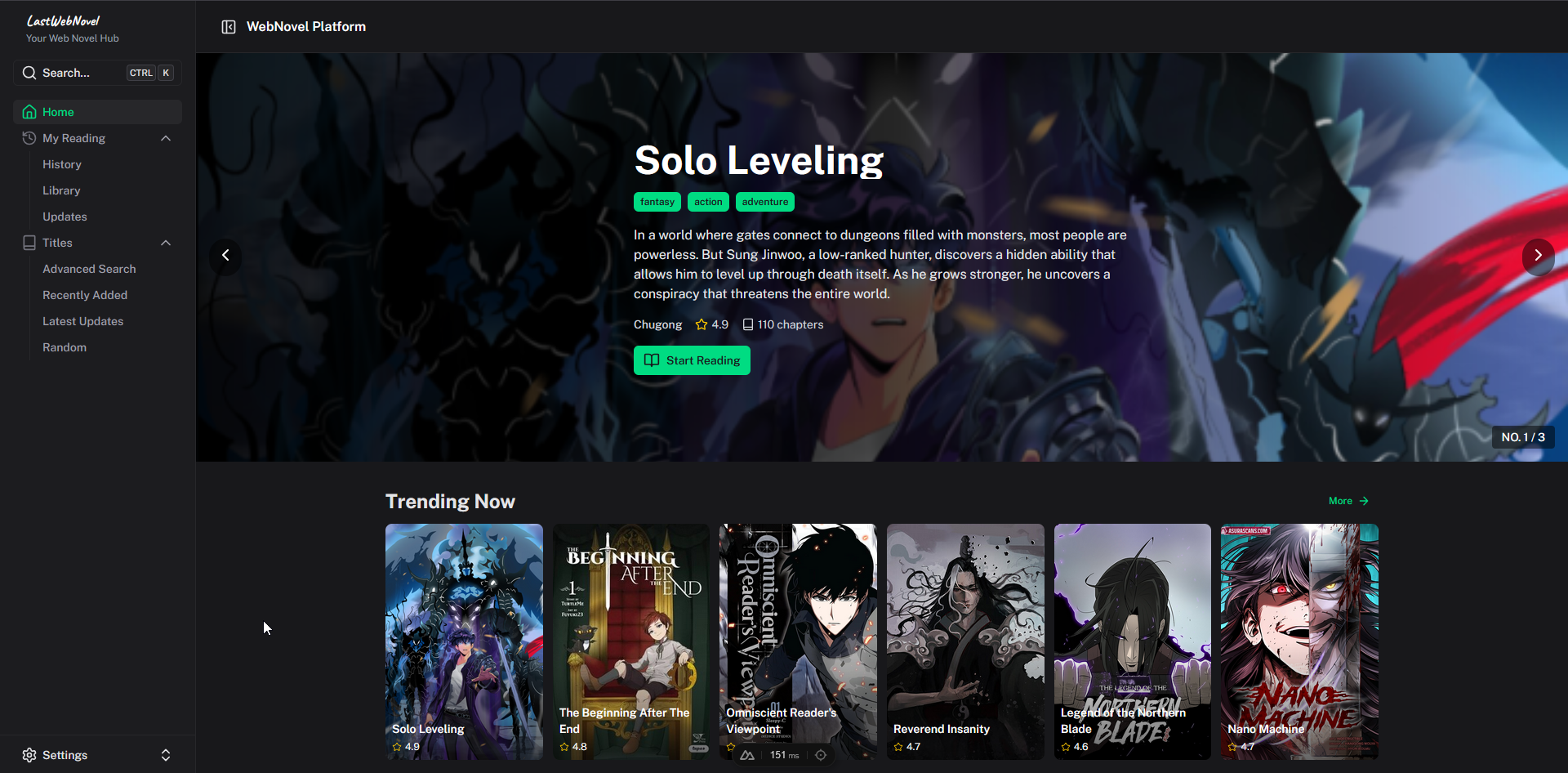
- 📖 Novel Reader - Read chapters with customizable text size, font, and theme
- 📚 Catalog - Browse and search novels with advanced filtering
- 📝 Content Management - Novel content from markdown files via Nuxt Content
- 💾 Reading History - Track your progress and reading history locally
- 📌 Library - Save novels to your personal library
- 🎨 Light/Dark Mode - Theme support with Nuxt UI
- 📱 Responsive Design - Mobile-friendly interface
- ⚡ Server API - Nuxt Nitro API layer for data endpoints
Tech Stack
- Framework: Nuxt 4 + Vue 3
- Language: TypeScript
- UI Components: Nuxt UI
- Content: Nuxt Content (Markdown)
- Styling: Tailwind CSS
- Database: Drizzle ORM (optional)
- Package Manager: npm
Quick Start
Install Dependencies
npm install
Development Server
Start the development server on http://localhost:3000:
npm run dev
Build for Production
npm run build
Preview the production build:
npm run preview
Available Scripts
# Development
npm run dev        # Start dev server

# Build & Preview
npm run build      # Build for production
npm run preview    # Preview production build

# Code Quality
npm run lint       # Run ESLint
npm run typecheck  # Run TypeScript type checking

# Database (if using)
npm run db:push    # Push schema to database
npm run db:studio  # Open Drizzle Studio
npm run db:generate # Generate migrations
Project Structure
app/
├── pages/
│   ├── index.vue                          # Homepage
│   ├── novels/[id].vue                    # Novel detail & chapter list
│   ├── novel/[novelId]/[chapterId].vue   # Chapter reader
│   ├── titles/search.vue                  # Advanced search
│   └── myreading/                         # User reading views
├── components/                            # Vue components
├── layouts/default.vue                    # Main layout
├── composables/                           # Reusable logic
└── types/                                 # TypeScript types

content/
└── novels/                                # Novel content (markdown)
    ├── index.md                           # Novel metadata
    └── ch-*.md                            # Chapter files

server/
├── api/                                   # Nitro API routes
└── db/                                    # Database schema (Drizzle)

public/images/                             # Novel cover images
Data Model
Content Structure
Novels are stored as markdown files in content/novels/:
- Novel metadata:
content/novels/<slug>/index.md - Chapters:
content/novels/<slug>/ch-<number>.md - Homepage curation:
content/novels/homepage.md(featured/trending lists)
Reader Navigation
Chapter URLs use deterministic UUIDv5 IDs for consistency:
- Route:
/novel/[novelId]/[chapterId] - Generated from: namespace constant +
${novelId}/${internalId} - Ensures resume/history functionality works across sessions
User State
Browser-based persistence via localStorage:
user_library- Saved novelsreading_history- Chapter progressreaderPreferences- Text size, font, theme
See app/composables/useReaderStorage.ts for shared state logic.
Docker Deployment
Build Docker Image
docker build -t lastwebnovel:latest .
Run with Docker
docker run -d -p 3000:3000 \
  -v ../botasaurus/content/novels:/app/content/novels \
  -v ../botasaurus/public/images:/app/public/images \
  lastwebnovel:latest
Docker Compose
docker-compose up -d
See docker-compose.yml for volume configuration.
Configuration
Nuxt Config
Edit nuxt.config.ts to customize:
- Modules (UI, Content, etc.)
- CSS & fonts
- Route rules
- Dev tools
Browser Support
Modern browsers with ES2020+ support.
License
See LICENSE file